
API Specification
Overview
The WBA Data API provides programmatic access to query and download WBA data directly through REST endpoints. This enables integration of WBA benchmark data into your own applications, research tools, and data pipelines.
All data available in the Data Explorer portal can also be accessed via the API, with the same datasets and columns. This approach may evolve in the future as we receive feedback and improve the platform.
Base URL: https://data.worldbenchmarkingalliance.org/api/data/v1
API Specification: OpenAPI 3.1 (OAS 3.1)
Swagger Documentation: https://data.worldbenchmarkingalliance.org/api/data/v1/docs
Requesting Access
API access requires approval. To request access:
- Sign in to the Data Explorer
- Click Request Access in Request Data API access box on the homepage
- Your request is submitted automatically for your user account
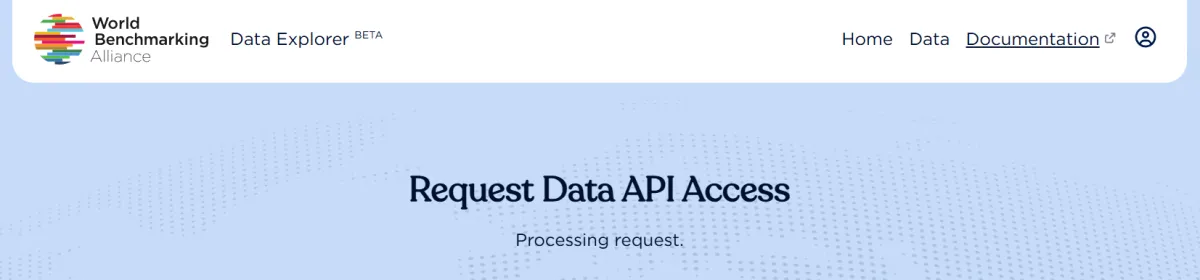
- You will be redirected to a status screen showing your request is being processed
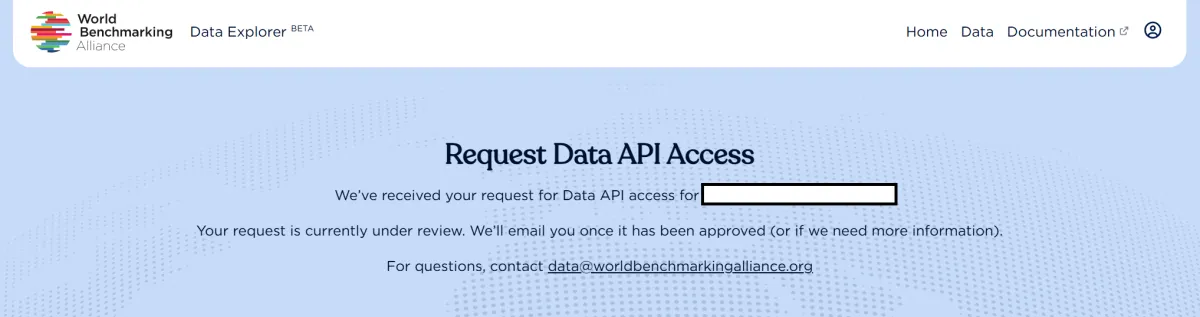
- After a few moments, the screen will confirm that your request has been submitted and is under review by WBA
- A contact email is provided if you need to reach WBA regarding your request
Important: As we have recently launched the platform, the approval process may take several days. Please be patient while we review requests.
Checking Your API Access Status
To check if your API access has been approved:
- Sign in to the Data Explorer
- Click Request Access in Request Data API access box on the homepage
- You will see one of the following:
- Request pending: Your request is still under review
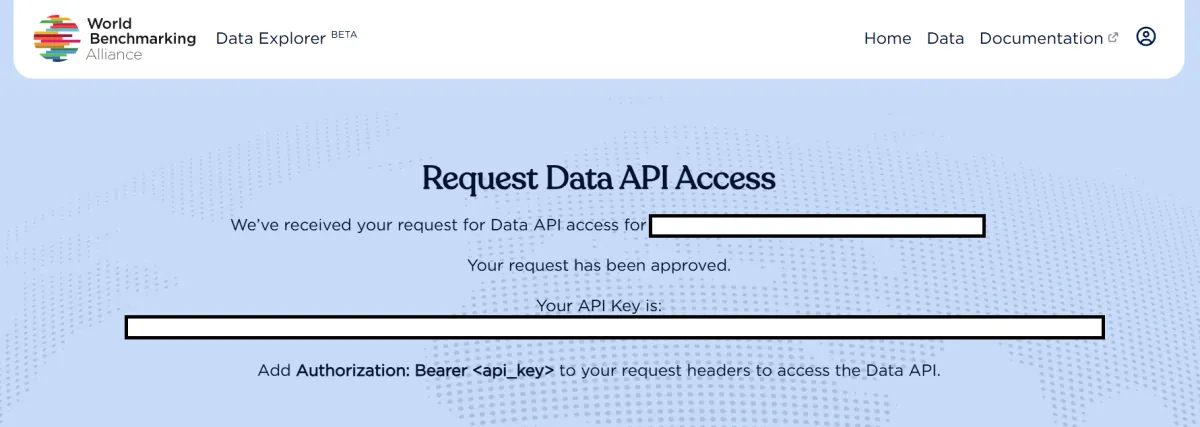
- Access granted: Your API key will be displayed on the screen
Note: You will not receive an email notification when your access is approved. Please check your status periodically through the portal.
Authentication
Once approved, all API requests require authentication using a Bearer token in the Authorization header.
Authorization: Bearer YOUR_API_KEYSetup (save Base URL as variable):
BASE_URL="https://data.worldbenchmarkingalliance.org/api/data/v1"Example request:
curl -X GET "$BASE_URL/datasets" \
  -H "accept: application/json" \
  -H "Authorization: Bearer YOUR_API_KEY"
Available Endpoints
The API provides two main endpoint groups: Datasets for querying data and Downloads for bulk data export.
Datasets Endpoints
GET /datasets — List all available datasets
GET /datasets/{dataset_name} — Get rows from a specific dataset
GET /datasets/{dataset_name}/cols — Get column metadata for a dataset
GET /datasets/{dataset_name}/cols/{col_name} — Get unique values for a specific column
Available Datasets
The following datasets are available via the API:
Company Data
- Companies (
companies) - Footprint Attributes (
footprintattributes) - Climate Profiles (
climateprofiles) - Emissions (
emissions) - Targets (
targets) - Sources (
sources)
Methodology Data
- Methodologies (
methodologies) - Methodology Measurement Areas (
methodologymeasurementareas) - Methodology Indicators (
methodologyindicators) - Methodology Elements (
methodologyelements) - Methodology Attributes (
methodologyattributes)
Benchmark Data
- Benchmarks (
benchmarks) - Measurement Areas (
measurementareas) - Indicators (
indicators) - Elements (
elements) - Attributes Values (
attributevalues)
Query Parameters
Pagination Parameters
These parameters are available on all dataset row listing endpoints.
order_by (string) — Column name to sort by. Default: None
ascending (boolean) — Sort order (true = ascending, false = descending). Default: false
per_page (integer) — Number of rows per page. Default: 10. Maximum: 1000
page (integer) — Page number (1-indexed). Default: 1
Filtering Parameters
Filter parameters use the column name with an optional operator suffix.Note that the separator between the column name and the operator must consist of two underscores (i.e. <column_name>__<op>). Multiple filters can be combined, separated by & characters.
{column_name} or {column_name}__eq — Equals. Example: company_name=Nestlé
{column_name}__gt — Greater than. Example: benchmark_score_numerical__gt=50
{column_name}__lt — Less than. Example: benchmark_score_numerical__lt=50
{column_name}__ge — Greater than or equal. Example: methodology_year__ge=2024
{column_name}__le — Less than or equal. Example: methodology_year__le=2023
{column_name}__ne — Not equals. Example: company_ownership__ne=Private
{column_name}__co — Contains substring (string columns only). Example: company_name__co=Bank
{column_name}__sw — Starts with (string columns only). Example: company_id__sw=PT_00
{column_name}__ew — Ends with (string columns only). Example: company_website__ew=.com
All string comparisons are case-insensitive. Boolean values can be True, true, 1 or False, false, 0.
Column Selection Parameters
include (comma-separated strings) — Names of columns to include in response
exclude (comma-separated strings) — Names of columns to exclude from response
These parameters should not be used together.
Response Formats
Dataset List Response
[
  {
    "name": "Companies",
    "slug": "companies",
    "description": "",
    "cols": 29,
    "rows": 2000,
    "updated": "2026-01-10T09:41:20"
  }
]
Dataset Rows Response
{
  "data": [
    {
            "company_id": "PT_00001",
      "company_name": "Example Corp"
    }
  ],
  "meta": {
    "rows": 2000,
    "access': 'public"
  }
}
Column Metadata Response
[
  {
    "name": "company_id",
    "title": "Company ID",
    "type": "str",
    "display": true
  }
]
Column Values Response
{
  "options": [
    "Value 1",
    "Value 2"
  ]
}
Note that if there are more than 2000 distinct values in a column, no values are returned.
Example Requests
All examples below assume you have set the BASE_URL variable:
BASE_URL="https://data.worldbenchmarkingalliance.org/api/data/v1"List all datasets
curl -X GET "$BASE_URL/datasets" \
  -H "accept: application/json" \
  -H "Authorization: Bearer YOUR_API_KEY"
Get companies in the Food Production industry
curl -X GET "$BASE_URL/datasets/companies" \
  -G -d "company_wba_industry=Food Production" \
  -d "per_page=50" \
  -H "accept: application/json" \
  -H "Authorization: Bearer YOUR_API_KEY"
Get benchmark scores above 60
curl -X GET "$BASE_URL/datasets/benchmarks" \
  -G -d "benchmark_score_numerical__gt=60" \
  -d "order_by=benchmark_score_numerical" \
  -d "ascending=false" \
  -H "accept: application/json" \
  -H "Authorization: Bearer YOUR_API_KEY"
Get only specific columns
curl -X GET "$BASE_URL/datasets/companies" \
  -G -d "include=company_id,company_name,company_wba_industry" \
  -H "accept: application/json" \
  -H "Authorization: Bearer YOUR_API_KEY"
Get unique values for a column
curl -X GET "$BASE_URL/datasets/sources/cols/source_type" \
  -H "accept: application/json" \
  -H "Authorization: Bearer YOUR_API_KEY"
Error Handling
The API returns standard HTTP status codes:
200 — Success
401 — Unauthorized (invalid or missing API key)
404 — Not Found (dataset or resource not found)
422 — Validation Error (invalid parameters)
500 — Internal Server Error
Error responses include a detail message:
{
  "detail": "Dataset 'invalid_name' not found"
}
Rate Limits
To ensure fair usage and platform stability, the API is limited to 1 request per second per API key.
If you exceed this limit, you may receive a 429 Too Many Requests response. If this happens, wait a moment before retrying your request.
For bulk data needs, we recommend using the download endpoints rather than making many individual requests.
Token Expiration and Renewal
API access tokens are long lasting, but will expire at some point for security reasons. If your API access token stops working, as a first step check the request Request Data API access page in the WBA Data Explorer to get a new API key, at the following URL: https://data.worldbenchmarkingalliance.org/portal/request. If you still experience problems please contact us (see below).
Contact and Support
If you have any questions, encounter any issues, or need assistance with the Data Explorer or API, please contact us at:
We welcome your feedback and suggestions to help us improve the platform.

Subscribe to stay informed on our work
Keep up to date with all the latest from World Benchmarking Alliance